
Test against MaxoMart (demo shop)
MaxoMart (demo.maxoperf.com) is a synthetic e-commerce application that Maxoperf runs for load and browser testing. It behaves like a real store, with a product catalog, shopping cart, multi-step checkout, JWT authentication and session cookies. No real payments or inventory are involved.
Use it to:
- Practise browser automation against a realistic multi-page flow.
- Run load tests against a publicly reachable REST API.
- Try Maxoperf features (test recording, HAR inspection, run results) without your own staging environment.
Pages and flows
Section titled “Pages and flows”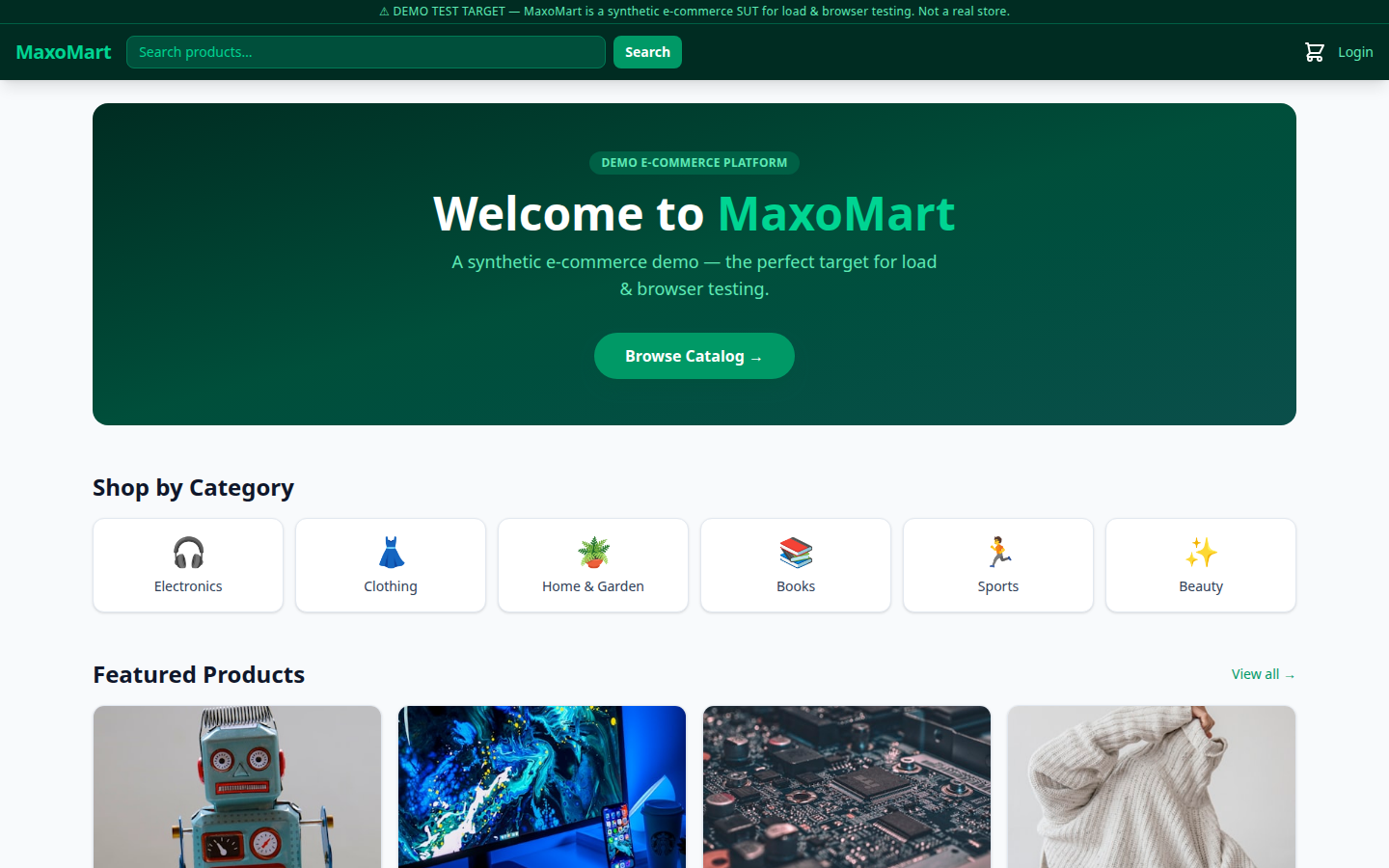
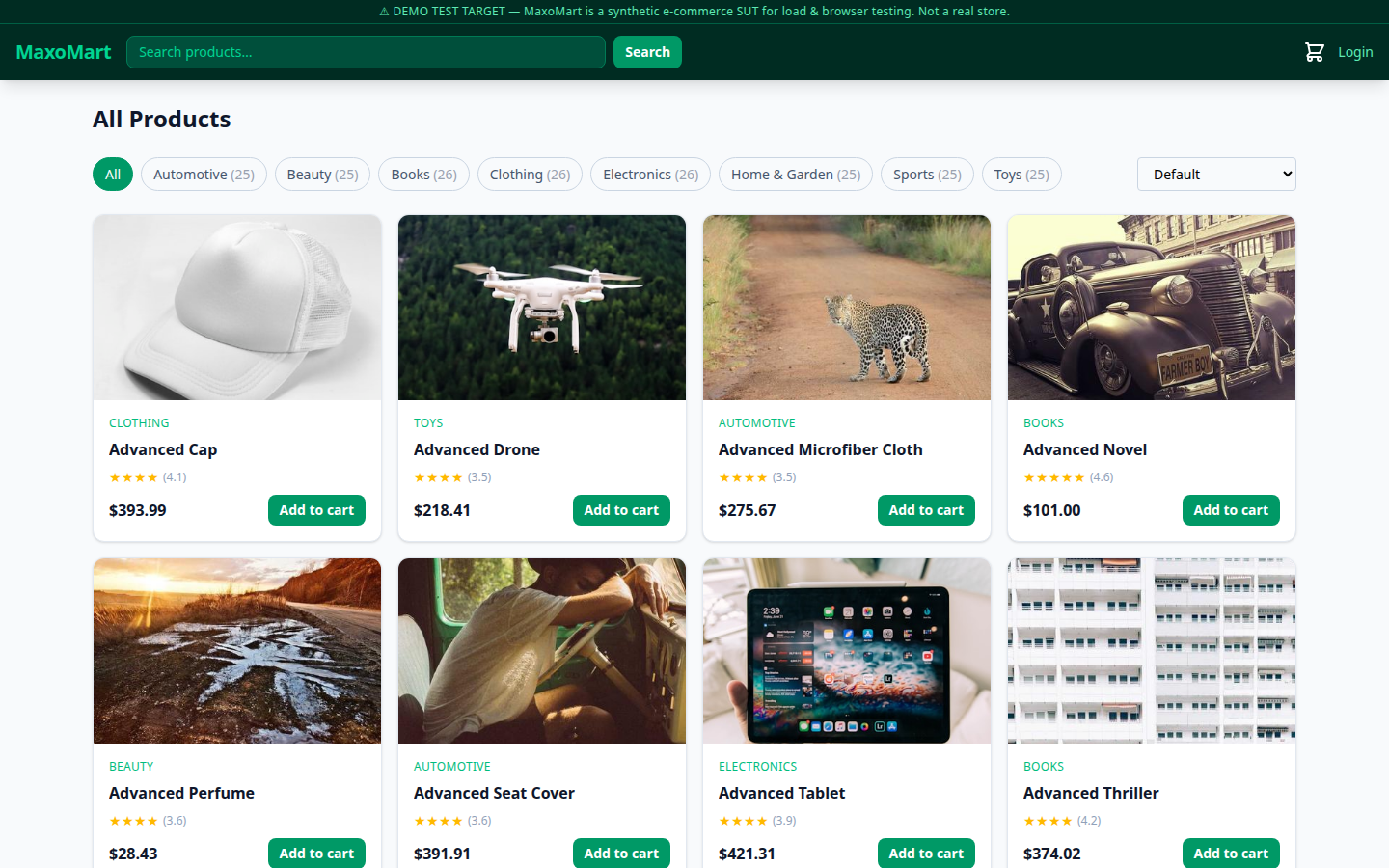
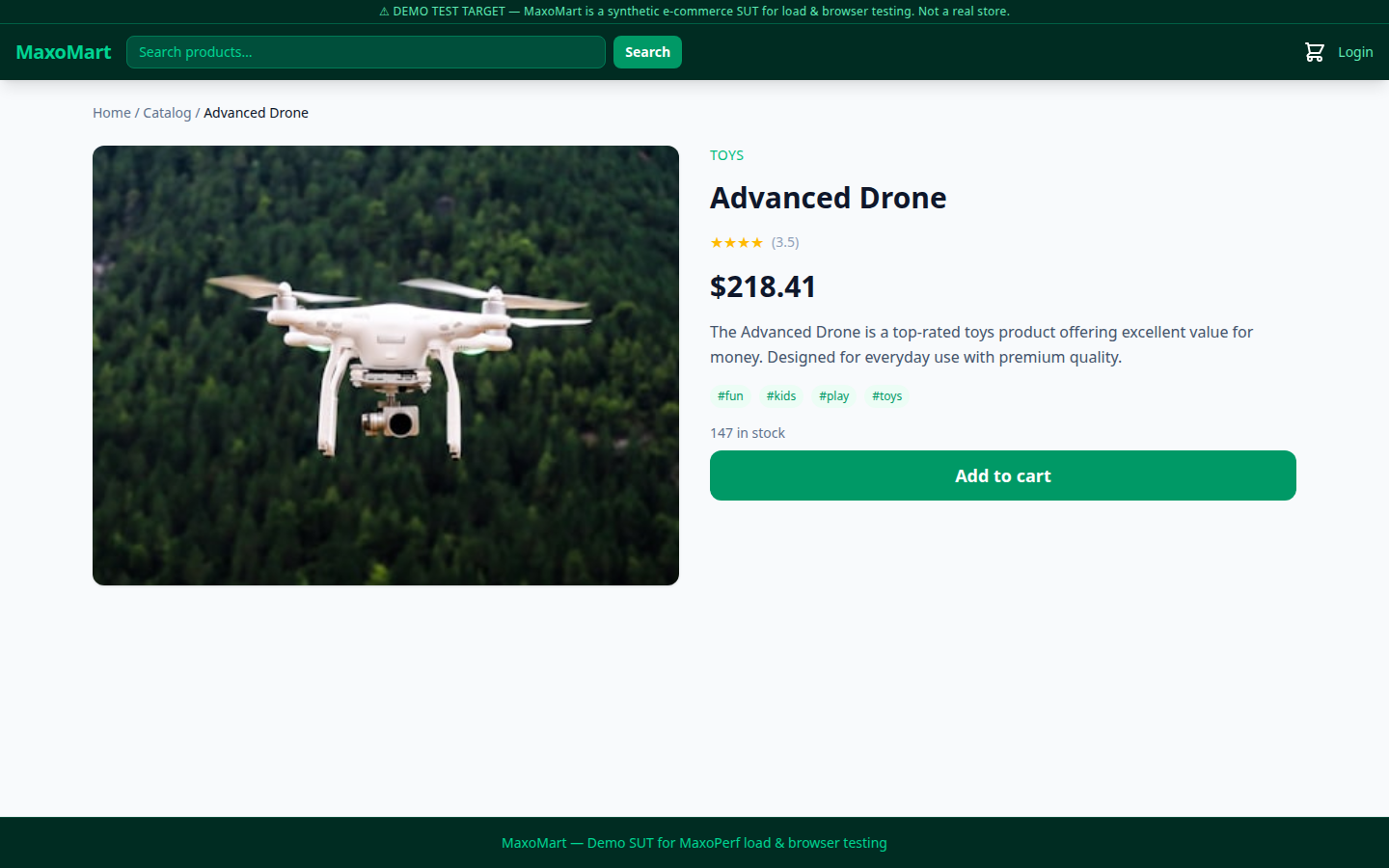
MaxoMart has eight pages that cover the usual e-commerce user journey:
| Page | URL | What to test |
|---|---|---|
| Home | / | Hero rendering, category nav, featured products |
| Catalog | /catalog | Filtering, pagination, product cards |
| Product detail | /product/:slug | Image, price, stock badge, Add to cart |
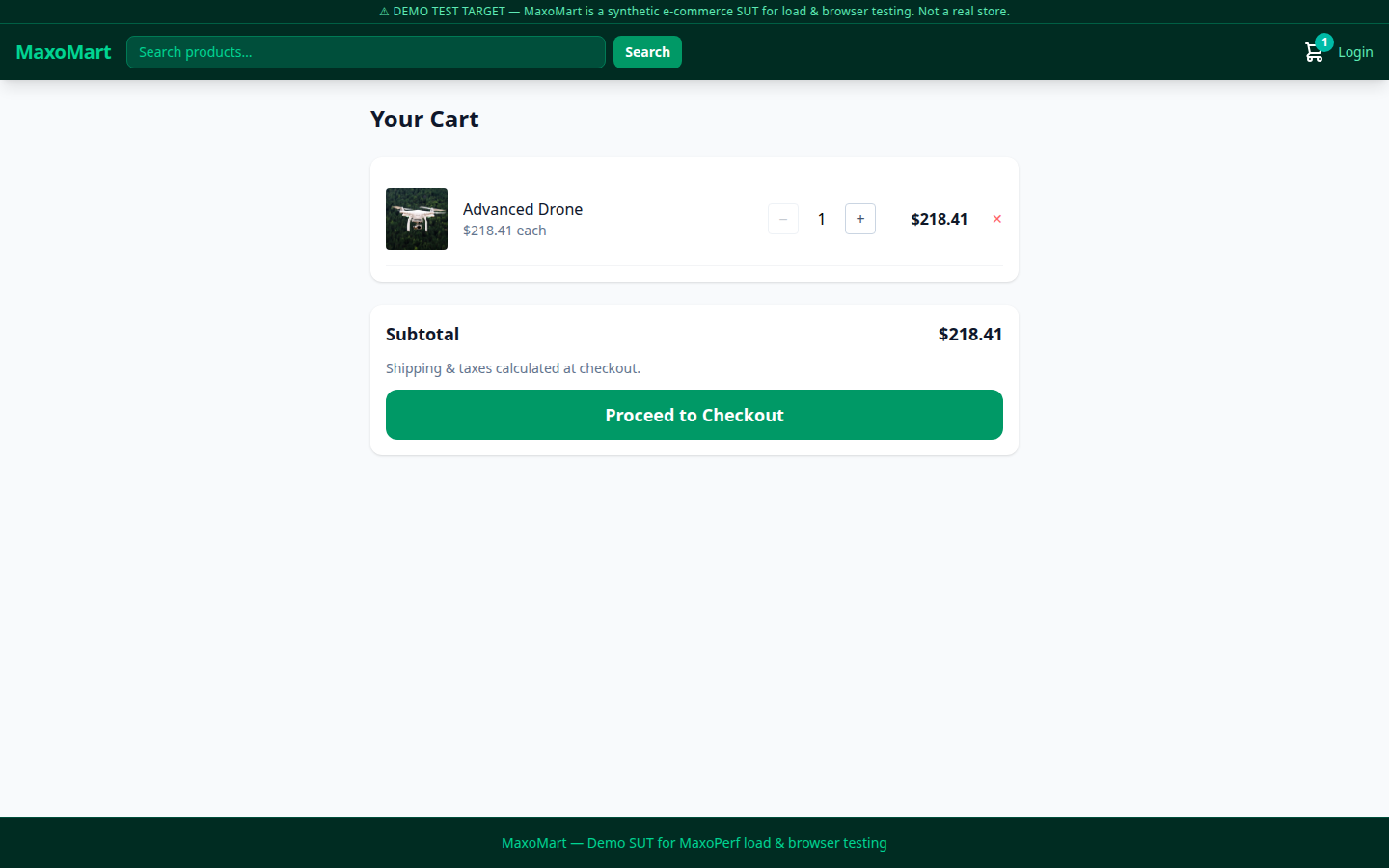
| Cart | /cart | Quantity changes, remove, subtotal, Proceed to Checkout |
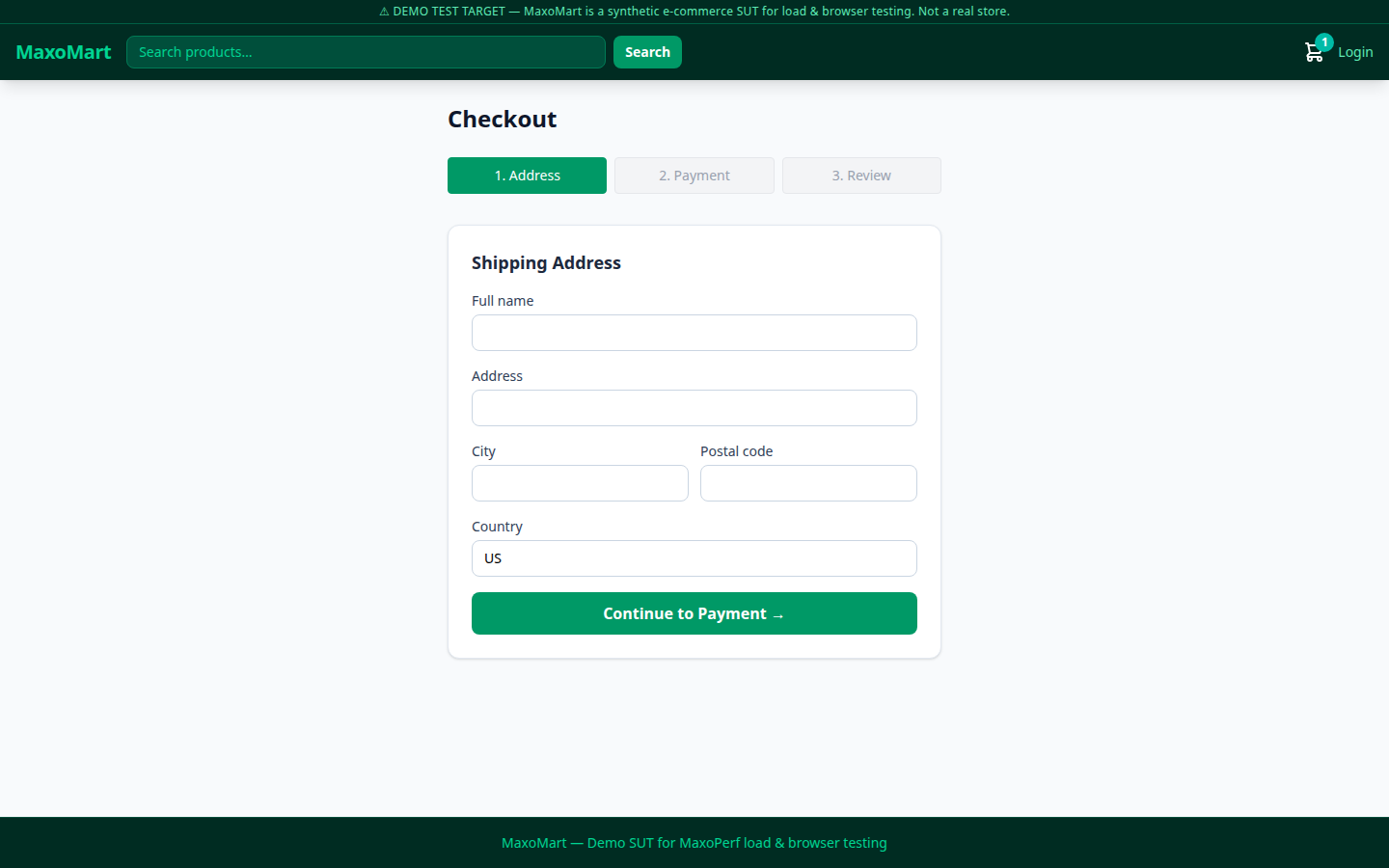
| Checkout | /checkout | Address → Payment → Review multi-step form |
| Order confirmation | /order/:id | Success state with order ID |
| Login | /login | JWT auth, redirect after sign-in |
| Register | /register | New account creation |
REST API and Swagger docs
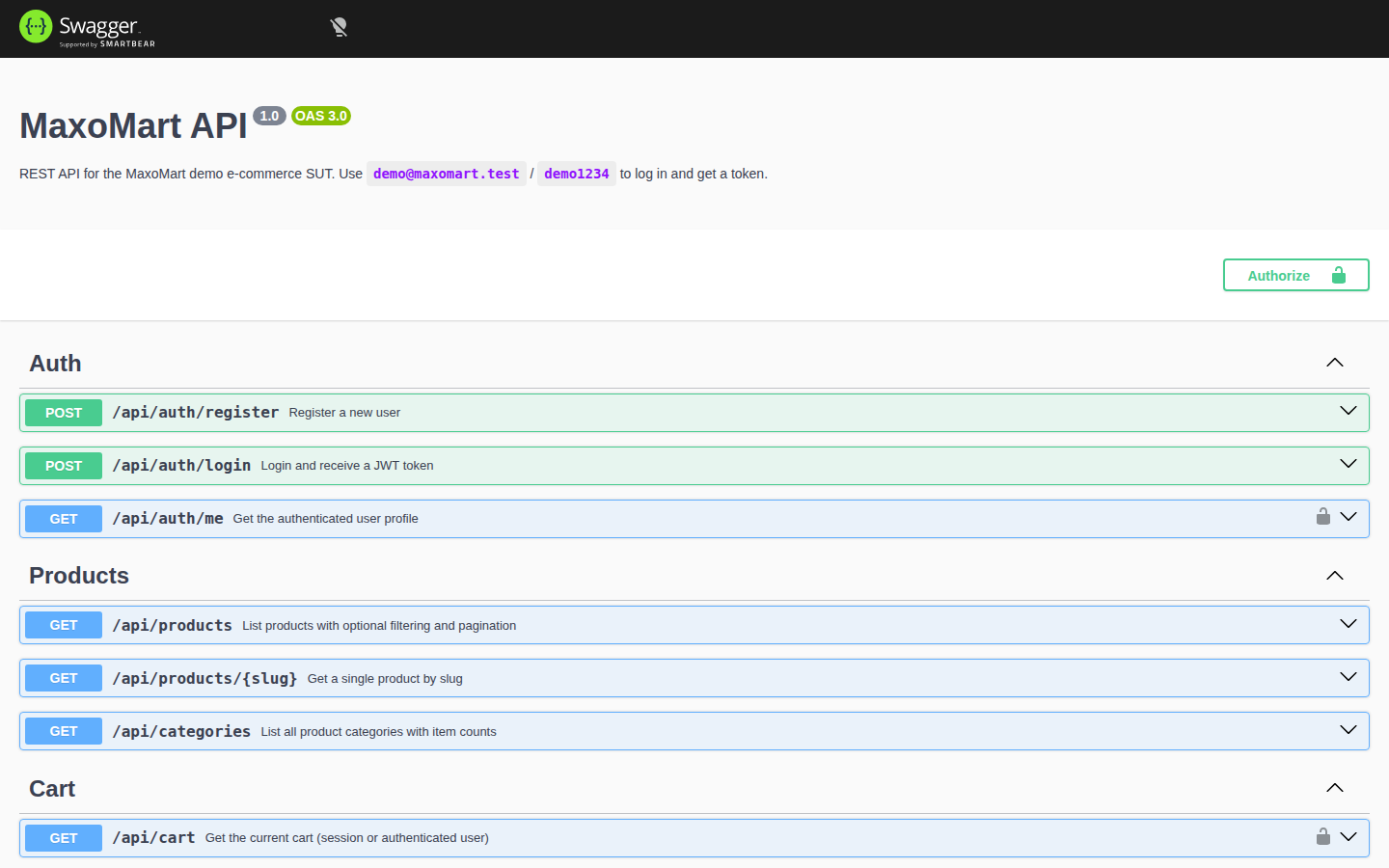
Section titled “REST API and Swagger docs”MaxoMart has a documented REST API at https://demo.maxoperf.com/api. The interactive Swagger UI is at https://demo.maxoperf.com/api/docs. You can call any endpoint from the browser without writing code.
Endpoint reference
Section titled “Endpoint reference”Auth: POST /api/auth/register, POST /api/auth/login, GET /api/auth/me
Products: GET /api/products, GET /api/products/:slug, GET /api/categories
Cart: GET /api/cart, POST /api/cart/items, PATCH /api/cart/items/:id, DELETE /api/cart/items/:id
Checkout / Orders: POST /api/checkout, GET /api/orders/:id
Demo credentials: demo@maxomart.test / demo1234 (pre-seeded, always available)
MaxoMart supports two auth schemes:
- JWT bearer token: get it from
POST /api/auth/loginand send it asAuthorization: Bearer <token> - Session cookie:
mm_sidis set on the first request. Guest checkout needs no login.
Browser testing
Section titled “Browser testing”MaxoMart suits browser automation practice because every interactive element has a data-testid attribute. The purchase funnel (catalog → product → cart → checkout) is a realistic multi-step workflow to automate.
Playwright
Section titled “Playwright”import { test, expect } from '@playwright/test';
const BASE = 'https://demo.maxoperf.com';
test('add to cart and reach checkout', async ({ page }) => { // Browse catalog await page.goto(`${BASE}/catalog`); await expect(page.locator('[data-testid^="product-card-"]').first()).toBeVisible();
// Open first product await page.locator('[data-testid^="product-card-"]').first().click(); await expect(page.locator('button:has-text("Add to cart")')).toBeVisible();
// Add to cart await page.locator('button:has-text("Add to cart")').click();
// Go to cart await page.goto(`${BASE}/cart`); await expect(page.locator('text=Your Cart')).toBeVisible(); await expect(page.locator('[data-testid^="cart-item-"]')).toHaveCount(1);
// Proceed to checkout await page.locator('text=Proceed to Checkout').click(); await expect(page.locator('text=Shipping Address')).toBeVisible();
// Fill address form await page.fill('input[name="fullName"]', 'Jane Tester'); await page.fill('input[name="address"]', '123 Load Ave'); await page.fill('input[name="city"]', 'San Francisco'); await page.fill('input[name="postalCode"]', '94105'); await page.locator('text=Continue to Payment').click();
await expect(page.locator('text=Payment')).toBeVisible();});const { test, expect } = require('@playwright/test');
const BASE = 'https://demo.maxoperf.com';
test('add to cart and reach checkout', async ({ page }) => { await page.goto(`${BASE}/catalog`); await expect(page.locator('[data-testid^="product-card-"]').first()).toBeVisible();
await page.locator('[data-testid^="product-card-"]').first().click(); await page.locator('button:has-text("Add to cart")').click();
await page.goto(`${BASE}/cart`); await expect(page.locator('text=Your Cart')).toBeVisible();
await page.locator('text=Proceed to Checkout').click(); await expect(page.locator('text=Shipping Address')).toBeVisible();});Run the test with:
npx playwright test --project=chromiumTo record your own test script with the Maxoperf browser recorder, see Record browser tests.
Selenium
Section titled “Selenium”from selenium import webdriverfrom selenium.webdriver.common.by import Byfrom selenium.webdriver.support.ui import WebDriverWaitfrom selenium.webdriver.support import expected_conditions as EC
BASE = "https://demo.maxoperf.com"
driver = webdriver.Chrome()wait = WebDriverWait(driver, 10)
try: # Open catalog driver.get(f"{BASE}/catalog") wait.until(EC.presence_of_element_located( (By.CSS_SELECTOR, "[data-testid^='product-card-']") ))
# Click first product card driver.find_element(By.CSS_SELECTOR, "[data-testid^='product-card-'] a").click()
# Add to cart add_btn = wait.until(EC.element_to_be_clickable( (By.XPATH, "//button[contains(text(), 'Add to cart')]") )) add_btn.click()
# Navigate to cart driver.get(f"{BASE}/cart") wait.until(EC.presence_of_element_located( (By.XPATH, "//h1[contains(text(), 'Your Cart')]") )) items = driver.find_elements(By.CSS_SELECTOR, "[data-testid^='cart-item-']") assert len(items) == 1, f"Expected 1 cart item, got {len(items)}"
# Proceed to checkout driver.find_element( By.XPATH, "//button[contains(text(), 'Proceed to Checkout')]" ).click() wait.until(EC.presence_of_element_located( (By.XPATH, "//h2[contains(text(), 'Shipping Address')]") )) print("Reached checkout — test passed")
finally: driver.quit()import org.openqa.selenium.*;import org.openqa.selenium.chrome.ChromeDriver;import org.openqa.selenium.support.ui.*;import java.time.Duration;
public class MaxoMartTest { static final String BASE = "https://demo.maxoperf.com";
public static void main(String[] args) { WebDriver driver = new ChromeDriver(); WebDriverWait wait = new WebDriverWait(driver, Duration.ofSeconds(10));
try { // Open catalog driver.get(BASE + "/catalog"); wait.until(ExpectedConditions.presenceOfElementLocated( By.cssSelector("[data-testid^='product-card-']") ));
// Click first product driver.findElement( By.cssSelector("[data-testid^='product-card-'] a") ).click();
// Add to cart WebElement addBtn = wait.until(ExpectedConditions.elementToBeClickable( By.xpath("//button[contains(text(),'Add to cart')]") )); addBtn.click();
// Go to cart driver.get(BASE + "/cart"); wait.until(ExpectedConditions.presenceOfElementLocated( By.xpath("//h1[contains(text(),'Your Cart')]") ));
int items = driver.findElements( By.cssSelector("[data-testid^='cart-item-']") ).size(); assert items == 1 : "Expected 1 item in cart, got " + items;
// Proceed to checkout driver.findElement( By.xpath("//button[contains(text(),'Proceed to Checkout')]") ).click(); wait.until(ExpectedConditions.presenceOfElementLocated( By.xpath("//h2[contains(text(),'Shipping Address')]") )); System.out.println("Reached checkout — test passed");
} finally { driver.quit(); } }}API testing
Section titled “API testing”Use the MaxoMart REST API when you want to measure backend performance without browser rendering overhead. All endpoints return JSON and accept standard HTTP headers.
Quick API calls with curl
Section titled “Quick API calls with curl”# List products (first page, 12 per page)curl https://demo.maxoperf.com/api/products
# Filter by categorycurl "https://demo.maxoperf.com/api/products?category=electronics&limit=20"
# Get a single productcurl https://demo.maxoperf.com/api/products/advanced-drone
# Login and capture the JWT tokenTOKEN=$(curl -s -X POST https://demo.maxoperf.com/api/auth/login \ -H "Content-Type: application/json" \ -d '{"email":"demo@maxomart.test","password":"demo1234"}' \ | jq -r '.token')
# Get authenticated user profilecurl -H "Authorization: Bearer $TOKEN" \ https://demo.maxoperf.com/api/auth/me
# Add item to cart (session-based, no login needed)curl -c cookies.txt -b cookies.txt \ -X POST https://demo.maxoperf.com/api/cart/items \ -H "Content-Type: application/json" \ -d '{"slug":"advanced-drone","quantity":1}'
# Place an ordercurl -c cookies.txt -b cookies.txt \ -X POST https://demo.maxoperf.com/api/checkout \ -H "Content-Type: application/json" \ -d '{ "fullName": "Jane Tester", "address": "123 Load Ave", "city": "San Francisco", "postalCode": "94105", "country": "US", "cardLast4": "4242" }'Load test with k6
Section titled “Load test with k6”This script models a purchase funnel: browse products, view a detail page, add to cart and complete checkout.
import http from 'k6/http';import { check, sleep } from 'k6';import { SharedArray } from 'k6/data';
const BASE = 'https://demo.maxoperf.com';
// Load product slugs once, shared across VUsconst products = new SharedArray('products', () => [  'advanced-drone',  'advanced-tablet',  'advanced-cap',  'solar-headphones',  'advanced-perfume',]);
export const options = {  stages: [    { duration: '30s', target: 20 },    { duration: '1m',  target: 20 },    { duration: '15s', target: 0 },  ],  thresholds: {    http_req_duration: ['p(95)<500'],    http_req_failed:   ['rate<0.01'],  },};
export default function () {  const jar = http.cookieJar();  const slug = products[Math.floor(Math.random() * products.length)];
  // 1. Browse catalog  let res = http.get(`${BASE}/api/products?limit=12`, { jar });  check(res, { 'catalog 200': r => r.status === 200 });  sleep(1);
  // 2. View product detail  res = http.get(`${BASE}/api/products/${slug}`, { jar });  check(res, { 'product 200': r => r.status === 200 });  sleep(0.5);
  // 3. Add to cart  res = http.post(    `${BASE}/api/cart/items`,    JSON.stringify({ slug, quantity: 1 }),    { headers: { 'Content-Type': 'application/json' }, jar },  );  check(res, { 'add-to-cart 201': r => r.status === 201 });  sleep(0.5);
  // 4. Checkout  res = http.post(    `${BASE}/api/checkout`,    JSON.stringify({      fullName:   'Load Tester',      address:    '1 Perf Street',      city:       'Austin',      postalCode: '78701',      country:    'US',      cardLast4:  '4242',    }),    { headers: { 'Content-Type': 'application/json' }, jar },  );  check(res, { 'checkout 201': r => r.status === 201 });  sleep(1);}
Run it with:
k6 run maxomart-load.jsYou can also upload this script to Maxoperf and run it from cloud locations. See Run your first test.
Where to go next
Section titled “Where to go next”- Record browser tests: generate a test script with the Maxoperf browser recorder on demo.maxoperf.com.
- Upload test files: bring your k6 or JMeter script into Maxoperf.
- Run tests from CI: start a Maxoperf run against MaxoMart on every pull request.
- Read run results: read latency percentiles and error rates from your runs.