Load Testing in Git: MaxoPerf for GitHub Actions, CLI and Deploy Hooks
Keep performance tests in your repository, run them from GitHub Actions or any CI, and trigger them after a deploy. What shipped and how the pieces fit.
Most teams that load test do it in a way that is separate from how they ship. The test lives in a console or on someone’s laptop, it runs when somebody remembers, and its result lands in a place the pull request never sees. When performance slips, the question “which change did that?” has no cheap answer.
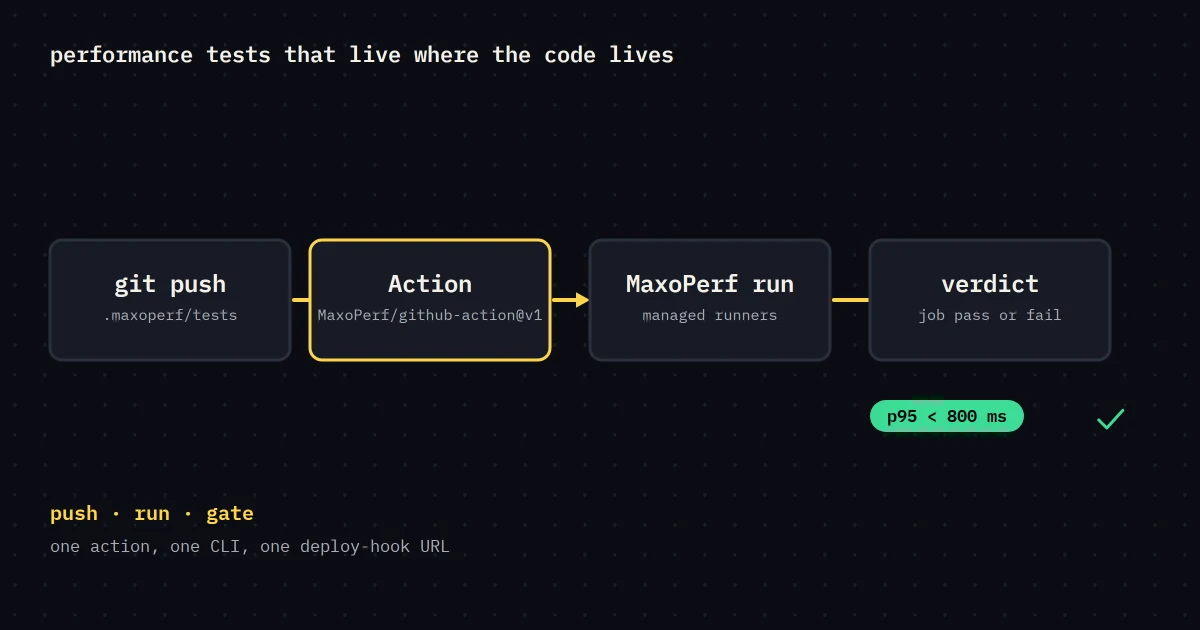
Today MaxoPerf ships a way to close that gap. Your performance tests can live in your repository as plain files, run from a GitHub Actions workflow or any other CI, be triggered by a deploy from whatever delivery system you use, and decide the outcome of a build. This post is the map: what the pieces are, how they fit together, and where to read the details.
What shipped
There are three entry points, and they share one engine.
- The GitHub Action,
MaxoPerf/github-action@v1. It syncs your test files, optionally runs them, writes a job summary and can keep one sticky comment on the pull request. - The CLI,
@maxoperf/cli, published on npm. The command ismaxoperf, with two subcommands:pushandrun. It needs Node 20 or newer and runs anywhere a shell runs. - Deploy hooks: a named, revocable URL that runs every test carrying a given tag. A deployment system calls it after a successful deploy, and the URL that was just deployed becomes the target of the run.
Underneath all three is the idea that a performance test is a file in git. We call it tests as code, and the format is deliberately small.
A test is one YAML file
Put one file per test under .maxoperf/tests/. A complete example:
version: 1name: "Checkout API"engineKind: k6entrypoint: perf/checkout.jsloadProfile: { virtualUsers: 25, agentCount: 1, rampUpSeconds: 30, durationSeconds: 120, maxVirtualUsersPerRunner: 25 }locationPlan: { rows: [{ kind: managed, cloudProvider: aws, region: us-east-1, runnerCount: 1, weight: 1 }] }failureCriteria: - { subject: "p95", condition: ">", threshold: 800, unit: "ms" } - { subject: "error-rate", condition: ">", threshold: 1, unit: "%" }tags: ["pr"]The name is the identity. If a test with that name does not exist in the project it is created, and if it does, it is updated to match the file. The entrypoint is a path relative to the repository root, and any extra files you list under assets are mirrored too. Unknown keys are an error, so a typo does not silently change nothing.
This is the “git is the source of truth” rule. On every sync the test’s configuration is overwritten with the file, its config and secret bindings are replaced with exactly the keys you list, and files not listed are deleted. Files whose sha256 has not changed are not uploaded again, so syncing an unchanged repository does nothing. The long version, with the reasoning, is in performance tests as code in git.
Run it from GitHub Actions
A minimal workflow for pull requests:
name: perfon: pull_requestpermissions: contents: read pull-requests: write # only needed for pr-commentjobs: load-test: if: github.event.pull_request.head.repo.fork != true runs-on: ubuntu-latest steps: - uses: actions/checkout@v4 - uses: MaxoPerf/github-action@v1 with: api-key: ${{ secrets.MAXOPERF_API_KEY }} account-id: ${{ vars.MAXOPERF_ACCOUNT_ID }} project-id: prj-0123456789 pr-comment: trueThe action defaults to command: run, which syncs every file matching .maxoperf/tests/*.{yml,yaml}, starts each test, waits for it to finish and fails the job when a run does not pass. Set command: push to sync without running. Set fail-on: never if you want the numbers without a gate. The job summary lists one row per test with its verdict and report link, and a table of each test’s criteria with the observed value and threshold. The action exposes outputs (results as a JSON array, plus passed, run-id, report-url) for later steps.
The if line is not decoration. GitHub withholds secrets from workflows triggered by pull requests from forks, so the API key would be empty. Skipping those jobs is the honest behavior, and the action README explains it.
The full walk-through is in the GitHub Actions guide, and working workflows are in the public examples folder.
Run it from any other CI
The same engine ships as a CLI so the integration is not tied to one vendor.
export MAXOPERF_API_KEY=mpak_... # from your CI secret storeexport MAXOPERF_ACCOUNT_ID=acc-...npx @maxoperf/cli run --config TARGET_URL=https://staging.example.comIt detects GitHub Actions, GitLab CI, Jenkins, CircleCI and Bitbucket Pipelines and attaches the repository, commit, branch, pull request and pipeline URL to each run. Exit codes are the contract: 0 when everything passed, 1 when a run failed or was cancelled, 2 for a usage or test-file error, and 3 for an API or network error, a blocked start or a timeout. That is enough to gate any pipeline. Load testing from GitLab and Jenkins with the CLI has the pipeline files, and the CLI reference lists every flag.
Run it after a deploy
Some pipelines cannot run a step after deployment, or the deploy is done by a platform you do not control. For that, create a deploy hook in the workspace: pick a name and a tag, and MaxoPerf gives you a URL once. Calling it starts one run per test that carries the tag, with the deployed URL passed in as a per-run override of TARGET_URL. There are adapters for GitHub deployment events, Vercel and Netlify that read the URL out of the provider’s own payload, and a generic JSON form for everything else. Optional signing secrets make the receiver reject unsigned or badly signed calls.
The hook is a capability URL, so it is scoped narrowly on purpose: a leaked URL can run the tests with that tag and override the allowed keys, and nothing else. Post-deploy smoke load from any CD goes through the setup, and the deploy hooks reference covers the signature schemes.
What you see after the run
Each run started from CI carries its context: provider, repository, commit, branch or pull request number, and a link back to the pipeline. In the console that appears as a chip on the run, and the runs list can be filtered by branch. Tests managed from git show a banner with the repository, path and commit they were last synced from. That is what turns a slow run into a short search through commits instead of a long conversation. Tracing a regression to a commit shows the workflow.
Where it fits, and where it does not
Be clear about what a gate in CI can and cannot do. A short test on every pull request catches large regressions cheaply, and the post on failing a pull request on p95 covers how to size one. A nightly run catches slow degradation that a short run hides, which is the subject of the nightly soak in GitHub Actions. Neither replaces a planned capacity test. Gates that fail at random get switched off, so avoiding flaky performance gates matters as much as writing them. For preview environments there is a separate walk-through in load testing preview deployments, and if the app runs on Vercel, start with load testing an app on Vercel without getting blocked.
A few practical limits are worth knowing before you start:
- Tests run one after another from a single action or CLI invocation. To run tests in parallel, use a CI matrix, and run
pushonce in an earlier job (needs: push) so concurrent first-time syncs cannot create duplicates. - The file format covers plain performance tests that upload a script, one test per file. Browser tests and a few console-only settings are outside it; a sync never sends them and leaves them untouched.
- Override values are stored on the run. Use workspace secrets for credentials, never overrides.
- Use a dedicated CI member for the API key and keep its expiry short.
Start with one test
You do not need to move everything at once. Export a test you already have from the console, commit the file, add the workflow above and watch the first run in the job summary. If the numbers are stable, add a criterion and make it a gate.
Read the GitHub Actions guide, copy a workflow from the examples folder, and put your first test in git today.
Questions this article answers
Do I need GitHub to use MaxoPerf from CI?
No. The GitHub Action is one wrapper over the same engine as the @maxoperf/cli npm package, which runs from GitLab CI, Jenkins, CircleCI, Bitbucket Pipelines or a laptop. Deploy hooks cover CD systems that can only call a URL.
What happens to a test I edit in the console?
Tests managed from git are overwritten on the next sync. Git is the source of truth, and the console shows a banner on those tests saying so.