Fail a Pull Request on p95 Latency with GitHub Actions
Run a short load test on every pull request and fail the check when p95 or error rate crosses a threshold. Workflow, test file, PR comment and sizing.
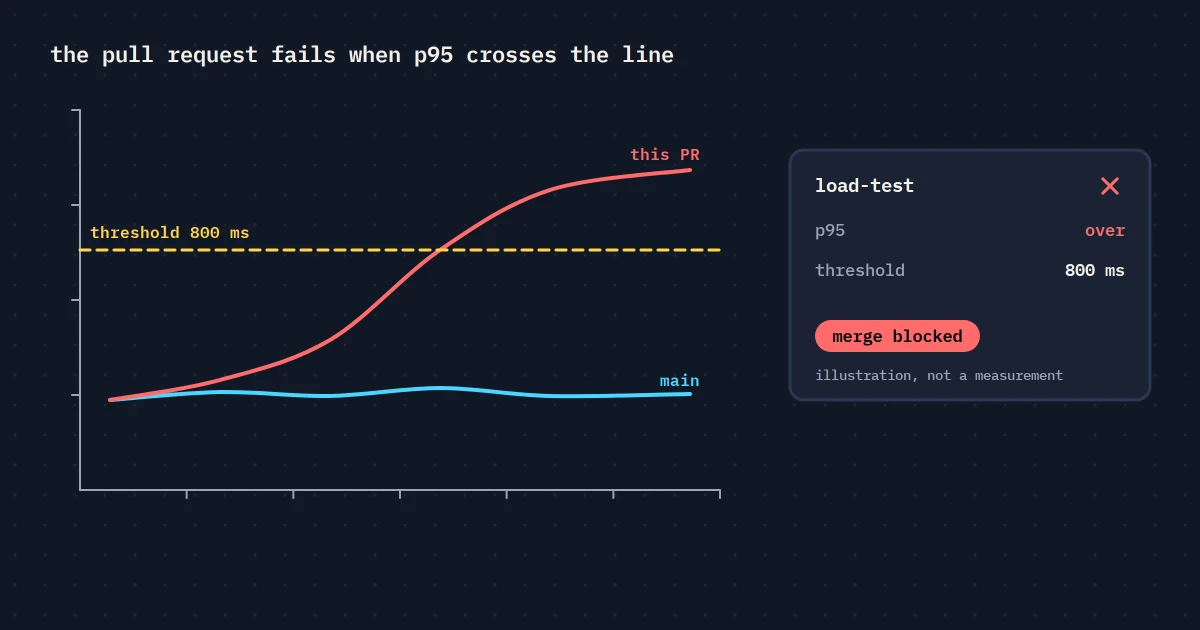
A pull request check earns its place by being fast, specific and trusted. A load test on every pull request can be all three if you keep the scope small. This post builds one end to end: a test file, a workflow that runs it and fails the check on p95 latency or error rate, a comment that shows reviewers what happened, and the decisions that keep the gate from becoming noise.
It assumes the basics from the launch post and the format described in performance tests as code.
Decide what a pull request check is for
A pull request check does not answer “can the system handle Black Friday?”. It answers a narrower question: “did this change make a critical path noticeably slower or less reliable than it was?”. That framing drives every choice below.
- One flow, not the whole product. Pick the request path that matters most for the service in the repository. A checkout call, a search query, a login. A check that exercises twenty endpoints fails for twenty reasons.
- Small and short. Minutes, not hours. People will wait for a check that finishes before their coffee, and will merge around one that does not.
- A threshold you would act on. If a p95 of 900 ms would not make anyone hesitate, do not gate at 800 ms. The number should express a decision the team has already made.
- A fixed target. The test should hit the same kind of environment each time, so that the result tells you about the change and not about the environment. More on that in avoiding flaky performance gates.
For broader strategy about gates and averages, API performance testing as a release gate covers the thinking. This post is the mechanics.
The test file
Commit .maxoperf/tests/checkout-api.yml:
version: 1name: "Checkout API PR gate"engineKind: k6entrypoint: perf/checkout.jsloadProfile: { virtualUsers: 25, agentCount: 1, rampUpSeconds: 20, durationSeconds: 120, maxVirtualUsersPerRunner: 25 }locationPlan: { rows: [{ kind: managed, cloudProvider: aws, region: us-east-1, runnerCount: 1, weight: 1 }] }failureCriteria: - { subject: "p95", condition: ">", threshold: 800, unit: "ms" } - { subject: "error-rate", condition: ">", threshold: 1, unit: "%" }tags: ["pr"]And the script it points at, perf/checkout.js. This is a standard k6 script; configuration values reach the run as environment variables under the name you give them, which k6 reads from __ENV:
import http from 'k6/http';import { check, sleep } from 'k6';
const base = __ENV.TARGET_URL || 'https://staging.example.com';
export default function () {  const res = http.post(`${base}/api/checkout`, JSON.stringify({ cartId: 'perf-cart-1' }), {    headers: { 'Content-Type': 'application/json' },  });  check(res, { 'status is 200': (r) => r.status === 200 });  sleep(1);}
Two things to note. The check matters: without a content or status assertion a fast error page counts as a fast success. And the sleep(1) paces each virtual user, so 25 users produce roughly 25 requests per second, not as many as the generator can fire. Choose pacing deliberately; think time and pacing explains why.
The two criteria are evaluated against the whole run. p95 above 800 ms, or more than 1 percent errors, makes the run failed.
The workflow
name: perfon: pull_request: paths: ["src/**", "perf/**", ".maxoperf/**"]permissions: contents: read pull-requests: write # only needed for pr-commentconcurrency: group: perf-${{ github.ref }} cancel-in-progress: truejobs: load-test: if: github.event.pull_request.head.repo.fork != true runs-on: ubuntu-latest steps: - uses: actions/checkout@v4 - uses: MaxoPerf/github-action@v1 with: api-key: ${{ secrets.MAXOPERF_API_KEY }} account-id: ${{ vars.MAXOPERF_ACCOUNT_ID }} project-id: prj-0123456789 tests: .maxoperf/tests/checkout-api.yml config-overrides: | TARGET_URL=https://staging.example.com pr-comment: true timeout-minutes: 15Walking through the choices:
pathskeeps the check from running on documentation-only changes.concurrencycancels an outdated run when a new commit is pushed. This is a GitHub feature, not a MaxoPerf one, and it keeps a busy pull request from queueing runs.- The fork guard is necessary because GitHub withholds secrets from workflows triggered by forks. With an empty
api-keythe step would fail, and the honest behavior is to skip. testsaccepts newline-separated globs; a single path syncs and runs exactly that test.config-overridessetsTARGET_URLfor this run only, oneKEY=VALUEper line. It does not change the stored test.pr-comment: truecreates or updates one sticky comment on the pull request. It only works onpull_requestevents (notpull_request_target), and needs thepull-requests: writepermission. If the permission is missing it logs a warning and carries on.timeout-minutesis the maximum time the action waits for a run. Set it comfortably above the test duration plus the time to allocate a runner.
The default fail-on: criteria makes the job fail when a run does not pass, so the check turns red. Mark the job as a required status check in branch protection and a failed p95 blocks the merge.
What reviewers see
The action always writes a job summary. It has one row per test with its verdict and a link to the full report, and below it a criteria table: each criterion, the observed value, the threshold and its status. With pr-comment: true the same information lands in a single comment on the pull request, updated in place when the check runs again rather than adding a new comment each time.
Make the comment useful by naming things well. A test called “Checkout API PR gate” tells a reviewer what failed without opening anything. And the link goes to the run report, where latency over time, per-request breakdown and errors are one click away.
If a later workflow step needs the verdict, the action has outputs: passed is "true" when every run passed, run-id and report-url refer to the first test, and results is a JSON array with name, test id, run id, status, passed and report URL for each.
- id: perf uses: MaxoPerf/github-action@v1 with: api-key: ${{ secrets.MAXOPERF_API_KEY }} account-id: ${{ vars.MAXOPERF_ACCOUNT_ID }} fail-on: never - run: echo "passed=${{ steps.perf.outputs.passed }} report=${{ steps.perf.outputs.report-url }}"Setting fail-on: never this way is useful while you are learning what the numbers look like, as an advisory stage before you make the check blocking.
Choosing the threshold
Do not guess. Run the test a few times on the base branch first, look at where p95 lands and how much it varies between runs, and set the threshold above the noise but below the pain. If p95 wanders between 420 and 520 ms on main, a threshold of 800 ms gives you headroom for real regressions without failing on variance. If it wanders between 420 and 900, the problem is the variance, and moving the threshold hides it.
Prefer more than one criterion. A latency gate alone passes a service that is fast because it is failing. An error-rate criterion next to it closes that hole.
Remember what the number is. The p95 over a two-minute run on a shared staging environment is a comparison tool, not a production prediction. It tells you “this change moved the needle against the same setup”, and that is exactly what a pull request check needs.
Failure modes to expect
- The check is red and the code is fine. Look at the run report before blaming the change: was the staging environment busy, did a dependency slow down? If it keeps happening, treat the gate as advisory until you fix the environment.
- The test fails to start. A blocked start (a plan limit, a validation problem) is reported separately from a failed verdict. The CLI uses exit code
3for it, and the action’s job fails too. - The job never finishes. Check
timeout-minutesand the runner allocation time for the region you chose. - No comment appears. Check the
pull-requests: writepermission and that the event ispull_request.
Next step
Copy the workflow and test file into a branch, point TARGET_URL at your staging environment and open a pull request. Run it three times before you make it required. The gate pull requests how-to walks through the same steps with screenshots, and the GitHub Actions guide lists every input.
Questions this article answers
Why does the workflow skip pull requests from forks?
GitHub does not pass repository secrets to workflows triggered by pull requests from forks, so the API key would be empty and the step would fail. Guard the job with a check that the head repository is not a fork.
What permission does the PR comment need?
The workflow token needs pull-requests write. Without it the action logs a warning and continues, so the job summary is still produced.