A Nightly Soak Test in GitHub Actions
Run a long, steady load test every night from a GitHub Actions schedule, gate it on drift criteria and read the trend. Workflow, test file and when not to wait.
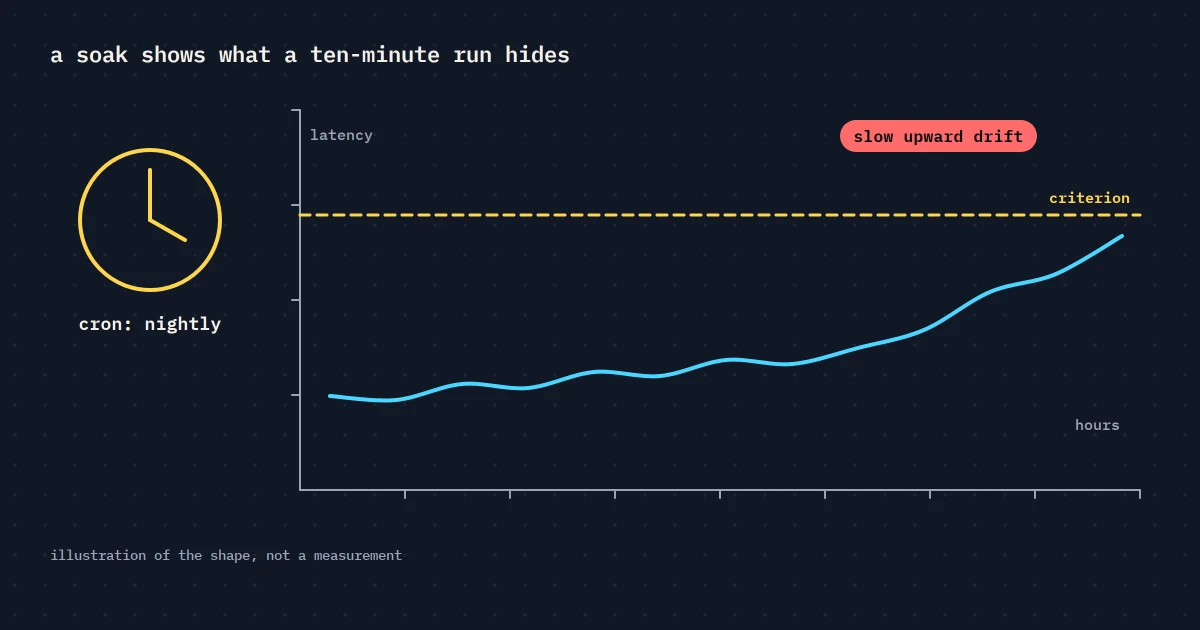
Short tests answer short questions. A two-minute pull request check can tell you whether a change made a request slower, and it cannot tell you whether the service slowly leaks memory, exhausts a connection pool after an hour, or degrades when a nightly batch job collides with traffic. Those problems need time, and the cheapest reliable way to give a service time is to run a steady load against it overnight, every night, and look at the shape.
This post sets that up in GitHub Actions: a schedule, a test file shaped for a soak, the decision of whether the job should wait, and how to read the trend afterwards. For the signals worth watching during a soak, see the soak / endurance test guide.
What a soak is, and what it is not
A soak test applies a moderate, constant load for a long time. The point is not to find the limit, so you do not ramp up toward failure. The point is that nothing changes while time passes, so anything that does change is the finding: latency creeping upward, error rate appearing late, memory or connection counts that never come back down.
Two consequences shape the test:
- Moderate load. Pick a level your staging environment sustains comfortably and that resembles a normal busy hour. A soak at a level that already hurts will fail for an uninteresting reason.
- Few criteria, aimed at drift. An error-rate ceiling and a p95 ceiling catch the finding. Many fine-grained thresholds produce noise on a run that lasts hours.
A nightly soak does not replace a capacity test, and it does not prove production behavior. It is a regression alarm for the slow kind of regression.
The test file
version: 1name: "Checkout nightly soak"engineKind: k6entrypoint: perf/checkout-soak.jsloadProfile: { virtualUsers: 50, agentCount: 1, rampUpSeconds: 300, durationSeconds: 3600, maxVirtualUsersPerRunner: 50 }locationPlan: { rows: [{ kind: managed, cloudProvider: aws, region: us-east-1, runnerCount: 1, weight: 1 }] }failureCriteria: - { subject: "p95", condition: ">", threshold: 1000, unit: "ms" } - { subject: "error-rate", condition: ">", threshold: 0.5, unit: "%" }tags: ["nightly"]config: ["TARGET_URL"]The ramp-up of five minutes lets the system reach steady state before the clock that matters starts, and one hour is a reasonable first duration. Extend it once the first runs are stable. Check your plan’s limits on run duration and concurrency before you commit to a long test, because a start that the plan blocks is reported as a blocked start and the job fails.
Because the criteria apply to the whole run, a gradual drift shows up as a p95 over the ceiling only if the late part of the run is bad enough to move the overall figure. For a stricter drift check, split the soak into two tests, or compare against the previous night in the console. The compare load test runs article covers comparing runs.
The workflow
name: nightly-soakon: schedule: - cron: "17 2 * * *" # 02:17 UTC every night workflow_dispatch: {}permissions: contents: readjobs: soak: runs-on: ubuntu-latest timeout-minutes: 120 steps: - uses: actions/checkout@v4 - uses: MaxoPerf/github-action@v1 with: api-key: ${{ secrets.MAXOPERF_API_KEY }} account-id: ${{ vars.MAXOPERF_ACCOUNT_ID }} project-id: prj-0123456789 tests: .maxoperf/tests/checkout-soak.yml config-overrides: | TARGET_URL=https://staging.example.com timeout-minutes: 100Points worth knowing:
- The schedule is UTC. Choose a time when staging is quiet and nobody is deploying. The odd minute (
17) avoids the top of the hour, when GitHub’s scheduler is busiest and delays are most common. workflow_dispatchlets you start the same workflow by hand, which you will want the first time and whenever you suspect last night’s run.- Two timeouts, on purpose. The action’s
timeout-minutesis how long it waits for the run. The job’stimeout-minutesis GitHub’s own limit and should be a little higher, so the action’s clearer timeout message wins. - Scheduled workflows run from the default branch. They use the workflow file and the test files as they are on
main, which is what you want for a nightly baseline.
Note also that GitHub may delay or skip scheduled runs under load, and disables scheduled workflows in a public repository when the repository has seen no activity for a long time. The nightly will tell you less than you think if it silently stopped running three weeks ago, so look at the run history now and then.
To wait, or not to wait
The configuration above waits. The job stays open for the duration of the soak, polls the run and fails if the run fails. That gives you the verdict as the workflow’s status and an email from GitHub, and it costs a runner for the length of the test.
The alternative is to start the run and finish:
wait: falseWith wait: false the action syncs, starts the run and returns right away, without a verdict. The job is cheap and short, and the run continues on MaxoPerf. You then read the result in the console, in a notification, or from a later workflow that queries the run. Choose this when the soak is long enough that holding a runner makes no sense, or when a failed soak should page a person and not mark a build red.
Both are fine. Pick one deliberately, because a job that waits for six hours costs real minutes, and a job that does not wait cannot gate anything.
Reading the trend
A nightly produces one run per night, and the value is in the sequence. After a week or two, open the test in the console, scan the runs and compare the latest against a good night. The questions to ask:
- Is p95 flat across the run, or does it slope? The slope matters more than the level.
- Did errors cluster late? A pool or quota exhausted after an hour appears as errors that were absent at the start.
- Did last night’s run differ from the night before? If so, what changed in between? The run’s CI context shows the repository and commit that the workflow ran against, and tracing a regression to a commit describes how to use it.
- Did the environment change underneath? A deploy during the soak invalidates it.
A useful habit is to keep the soak’s target out of the deploy rotation, or at least outside the deploy window. If the staging environment is redeployed mid-run, latency steps will look like a leak.
Soak and the rest of the pipeline
The nightly soak complements the other checks rather than replacing them. A short pull request check catches the fast regressions the day they happen. A post-deploy smoke confirms that a release did not break the basics. The soak covers the slow ones. All three can use the same test-as-code workflow, since each is a tagged file in git.
MaxoPerf also has native recurring schedules, described in schedule recurring tests. Use them when the test is managed in the console and the schedule is the only thing you need. Use a GitHub Actions schedule when you want the test defined in git, run from the same repository, and governed by the same review as the rest of your workflows.
Keep it honest
Do not treat a green nightly as a certificate. It tells you the service held a given load for a given time against a given environment. Record what that environment was, and change the test only deliberately, because a changed test breaks the comparison with earlier nights. Review the soak’s YAML in pull requests like any other code.
Add the workflow above to a branch, run it once with workflow_dispatch, and let the schedule take over once the first run looks sane. The nightly schedule how-to has the screenshots, and the GitHub Actions guide lists all inputs.
Questions this article answers
Should the workflow wait for a multi-hour soak to finish?
Only if you want the job to carry the verdict. Waiting ties up a runner and needs a high timeout. Setting wait to false starts the run and ends the job, and you then read the result in the console or through notifications.
Why did my scheduled workflow stop running?
GitHub runs scheduled workflows from the default branch only, may delay them under load, and disables them in a public repository after a long period without repository activity. Add a workflow_dispatch trigger so you can also start one by hand.